The current release is Krira TV 6.4.3. All the links below give you the same official file — use whichever downloads fastest for you.

- Version
- 6.4.3
- Size
- 11.3 MB
- Requires
- Android 7.0+
- Price
- Free
Download links
If one link is slow, try the next — it is the same file.
Downloading on a TV? Skip the file and use the Downloader code 9568364 instead — see the Android TV or Firestick guide.
After the download
- Open the file. Tap the download notification, or open your Files / Downloads app and tap
app-release.apk. - Allow the install once. Android asks whether your browser or file manager may install apps. Tap Settings, switch Allow from this source on, then go back.
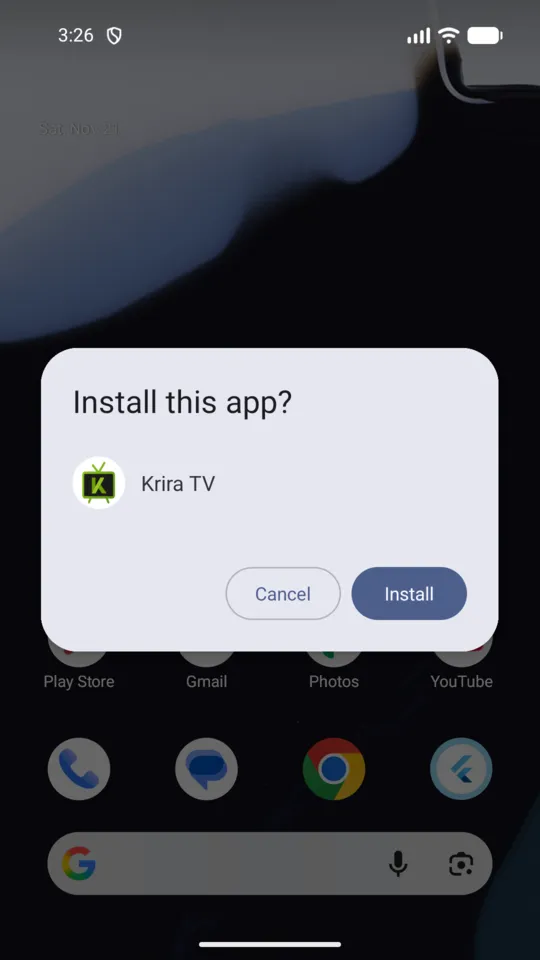
- Tap Install. It takes a few seconds. If Play Protect shows a warning, choose More details → Install anyway — this appears for every app that is not from Google Play.
- Open Krira TV. Pick a match and choose a server. You can switch the "allow from this source" setting off again afterwards.
Need pictures for each step? The full install guide walks through it on Samsung, Xiaomi/Redmi, Realme/Oppo and other phones.
How to tell you have the real app
- The file is about 11.3 MB. A much bigger or much smaller file is not ours.
- The installer shows the name Krira TV and the version 6.4.3.
- The real app never asks for your contacts, SMS, call logs or a payment.
- It never asks you to install a "configuration profile", complete a survey, or "verify you are human" before downloading.
Got the APK from a friend over Bluetooth, ShareIt or a Telegram group? It might be fine, but you cannot be sure it hasn't been changed. Downloading from the links above takes the same time and removes the risk.
If the download is slow or fails
- Try the next link. The servers are in different places; one is often faster for your network.
- Switch between Wi-Fi and mobile data. Some networks are slow to reach one of the servers.
- Use Chrome. A few in-app browsers (Facebook, Messenger) block file downloads. Open this page in Chrome and try again.
- Check free space. You need about 50 MB free to download and install comfortably.
Questions about this
Why is Krira TV not on Google Play?
Google Play does not accept live-sports streaming apps like Krira TV, so it is shared directly as an APK file. Installing an APK is a normal Android feature; you just allow it once.
Do I need to uninstall the old version first?
No. Installing the new APK over the old one keeps everything and simply updates the app. See how to update.
Can I download Krira TV on iPhone?
No — the APK only installs on Android. Read Krira TV on iPhone for what Apple users can do.