Krira TV not opening, showing an empty match list or stuck on loading? Work down this list in order. The first three fixes solve most problems in under a minute.
1. Update to the latest version
Old versions stop loading matches when stream sources change. The current version is 6.4.3 — check yours in Settings → Apps → Krira TV. If it's older, install the new one from the download page over the top (nothing is lost).
2. Fully close the app and reopen it
Swipe Krira TV away from your recent apps, or go to Settings → Apps → Krira TV → Force stop, then open it again. This clears a stuck connection.
3. Switch your connection
If you're on mobile data, try Wi-Fi — or the other way round. Sometimes one network can't reach the app's servers for a while. Turning airplane mode on for five seconds and off again also gets you a fresh connection.
4. Clear the app's cache
Settings → Apps → Krira TV → Storage → Clear cache. This removes temporary files without touching your settings. Don't use Clear data unless the steps below fail.
5. Try another server for the same match
If the app opens but a match won't play, it's usually that one stream, not the app. Go back and pick a different server for the match — that's exactly why Krira TV lists several.
6. Check the date and time on your phone
A wrong date or time breaks secure connections, and the app can't load anything. Turn on Settings → System → Date & time → Automatic.
7. Turn off data saver and battery saver for Krira TV
Data saver can block streaming in the background, and aggressive battery savers (Xiaomi, Realme, Vivo, Tecno) can freeze the app. Set Krira TV to Unrestricted in battery settings and allow unrestricted data.
8. Turn off VPN or ad-blocking DNS
Some VPNs, "private DNS" ad-blockers (like AdGuard DNS) and firewall apps block the servers the app needs. Switch them off, then reopen Krira TV.
9. Clear data and reinstall
Still stuck? Settings → Apps → Krira TV → Storage → Clear data, or uninstall and reinstall the latest APK. This resets the app to a fresh state.
10. Restart your phone or TV
Simple, but it releases memory and resets the network stack. On a Fire TV, hold Select + Play/Pause for five seconds.
Only one match not working? Streams are sometimes added just before kick-off, or a source goes down mid-match. Wait a few minutes and refresh, or try another server.
Match the message you see
| What you see | Most likely fix |
|---|---|
| "Update required" screen | Install the latest version (fix 1) |
| Empty match list | Fixes 3, 6 and 8 |
| Endless loading circle | Fixes 2, 3 and 4 |
| App closes as soon as it opens | Fixes 1 and 9 |
| Stream buffers or black screen | See buffering fixes |
| "App not installed" | See install errors |
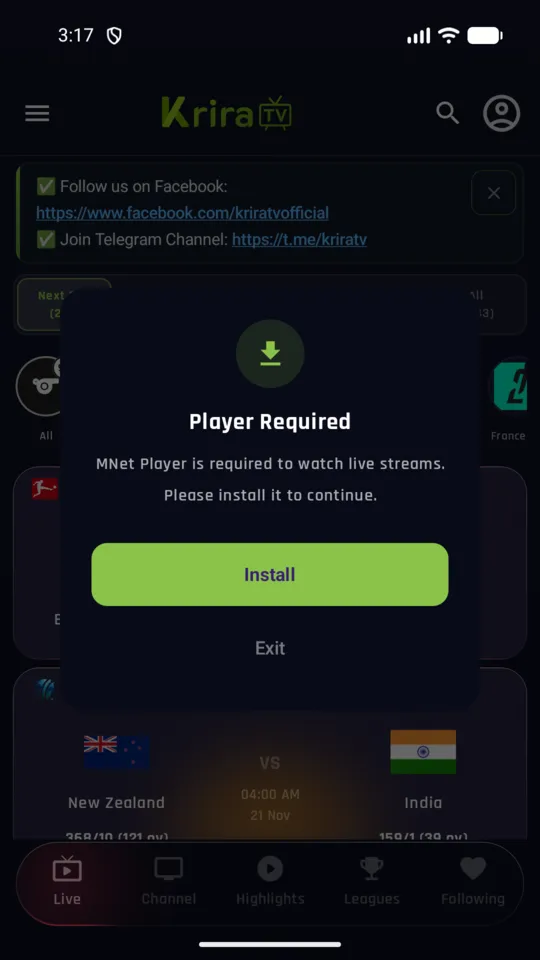
| "Player Required" or "Update Required" (MNet Player) | Install or update the free MNet Player from Google Play, then reopen Krira TV |